
자세 추정
자세 추정
# 모델
from ultralytics import YOLO
model = YOLO('yolo26n-pose.pt')

# 이미지 불러오기
import cv2 as cv
img = cv.imread('bus_stop.jpg')

# 자세 추정
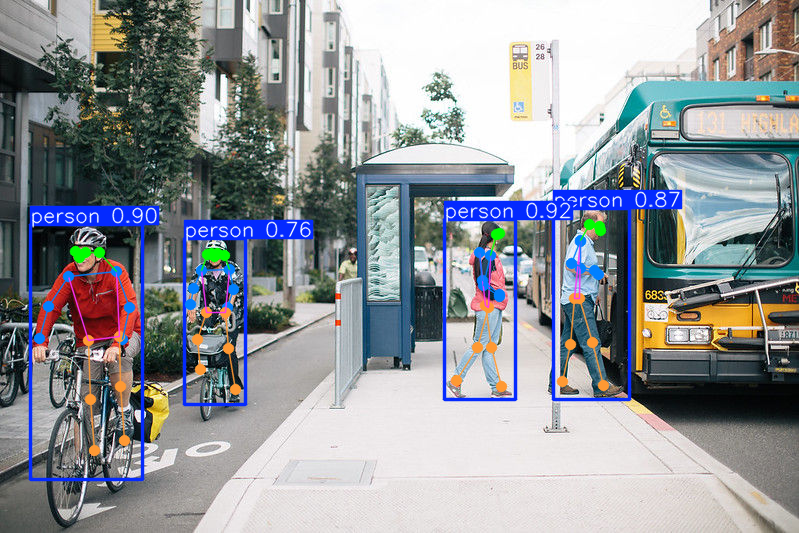
results = model(img)
간단한 시각화
from PIL import Image
array = results[0].plot()
Image.fromarray(array[:, :, ::-1])
키포인트
keypoint_names = [
    "Nose", "Left Eye", "Right Eye", "Left Ear", "Right Ear",
    "Left Shoulder", "Right Shoulder", "Left Elbow", "Right Elbow",
    "Left Wrist", "Right Wrist", "Left Hip", "Right Hip",
    "Left Knee", "Right Knee", "Left Ankle", "Right Ankle"
]
결과 시각화
# 임포트
from PIL import Image, ImageDraw, ImageFont

# 글꼴 설정: 같은 폴더에 ttf 글꼴 파일이 있어야 함. 없으면 기본 글꼴 사용.
try:
    font = ImageFont.truetype("NanumGothic.ttf", 20)
except IOError:
    font = ImageFont.load_default()

result = results[0]
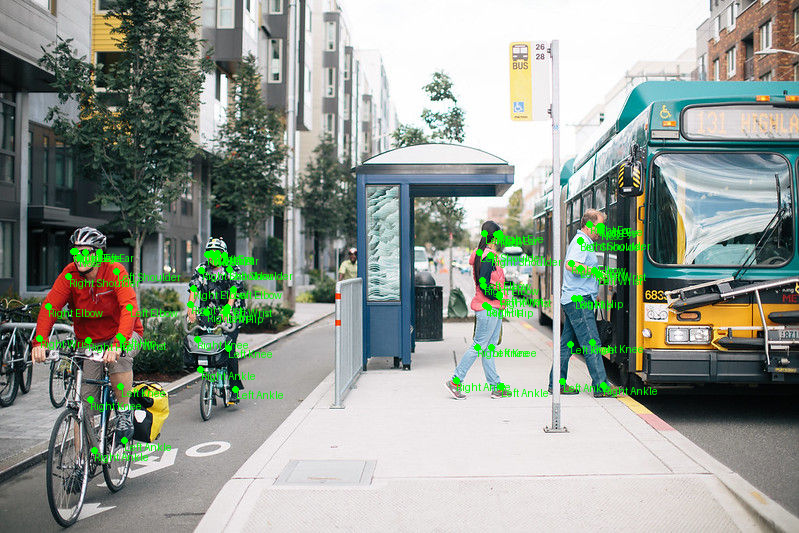
kpts = result.keypoints.data.cpu().numpy()  # 사람별, 키포인트별, 좌표
img_result = Image.fromarray(cv.cvtColor(img, cv.COLOR_BGR2RGB))
draw = ImageDraw.Draw(img_result)

for kpt in kpts:
    for j in range(len(kpt)):  # 17개 키포인트에 대해
        x, y, conf = kpt[j]
        if conf > 0.1:
            draw.circle((x, y), radius=3, fill="#00FF00")  # 원
            draw.text((x, y), f'{keypoint_names[j]}',  # 키포인트 이름
                      font=font, fill="#00FF00")

img_result
퀴즈
자세 추정 모델의 주된 출력은 무엇입니까?
퀴즈를 풀려면 대화형 기능을 불러와야 합니다.